
There is nothing quite like the relentless itch of a mosquito bite to ruin a perfect summer evening. For years, the only solutions were messy, sticky creams or lotions loaded with harsh chemicals like DEET.
But now, there is a better way. The UnbiteMe PRO uses advanced thermal technology to neutralize the itch in seconds, with absolutely zero chemicals. It’s safe, fast, and incredibly effective.
Because the PRO model features multiple settings—including a dedicated mode for delicate skin—it is the ultimate itch-relief tool for the whole family. Here is a step-by-step guide on how to use it correctly to get the best results.
The Science Behind the Relief: How It Works
Before we dive into the “how,” let’s quickly talk about the “why.” Traditional creams merely mask the itch. The UnbiteMe PRO actually fixes the problem.
When a mosquito bites you, it injects saliva containing proteins that trigger your body’s histamine response. This is what causes the itching, redness, and swelling.
The UnbiteMe PRO applies a precise, localized concentrated heat to the bite area. This heat (a process known as thermal denaturization) breaks down the mosquito’s saliva proteins, stopping your body’s histamine reaction before it really begins.
The result? The itch is neutralized instantly, right at the source, without a single chemical entering your body.
Step-by-Step Guide: Using Your UnbiteMe PRO
Using the UnbiteMe PRO is simple and intuitive. To get the most effective, safest relief, follow these steps:
Step 1: Charging Your Device
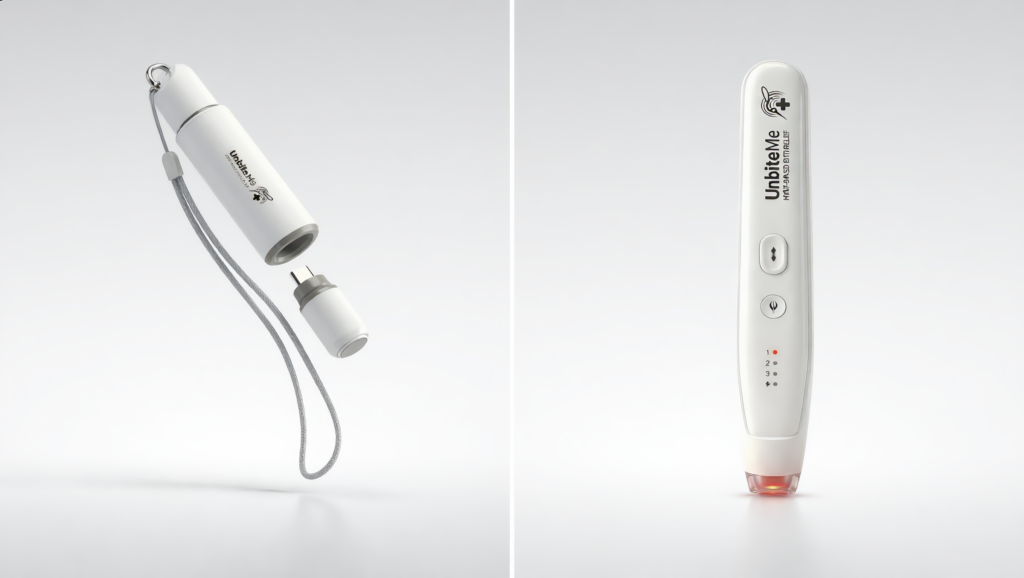
Before your first use, ensure the device is fully charged. The UnbiteMe PRO uses a modern USB-C charging port (located on the bottom).
- Plug the included USB-C cable into the device and a power source.
- The indicator light will typically flash while charging and turn solid when complete.
Step 2: Powering On and Selecting Your Heat Level
The UnbiteMe PRO is unique because it offers personalized relief. It features 4 distinct heating modes so you can find the temperature that works perfectly for your bite and your skin type.
- Press the power button (located on the cylindrical body) to turn the device on.
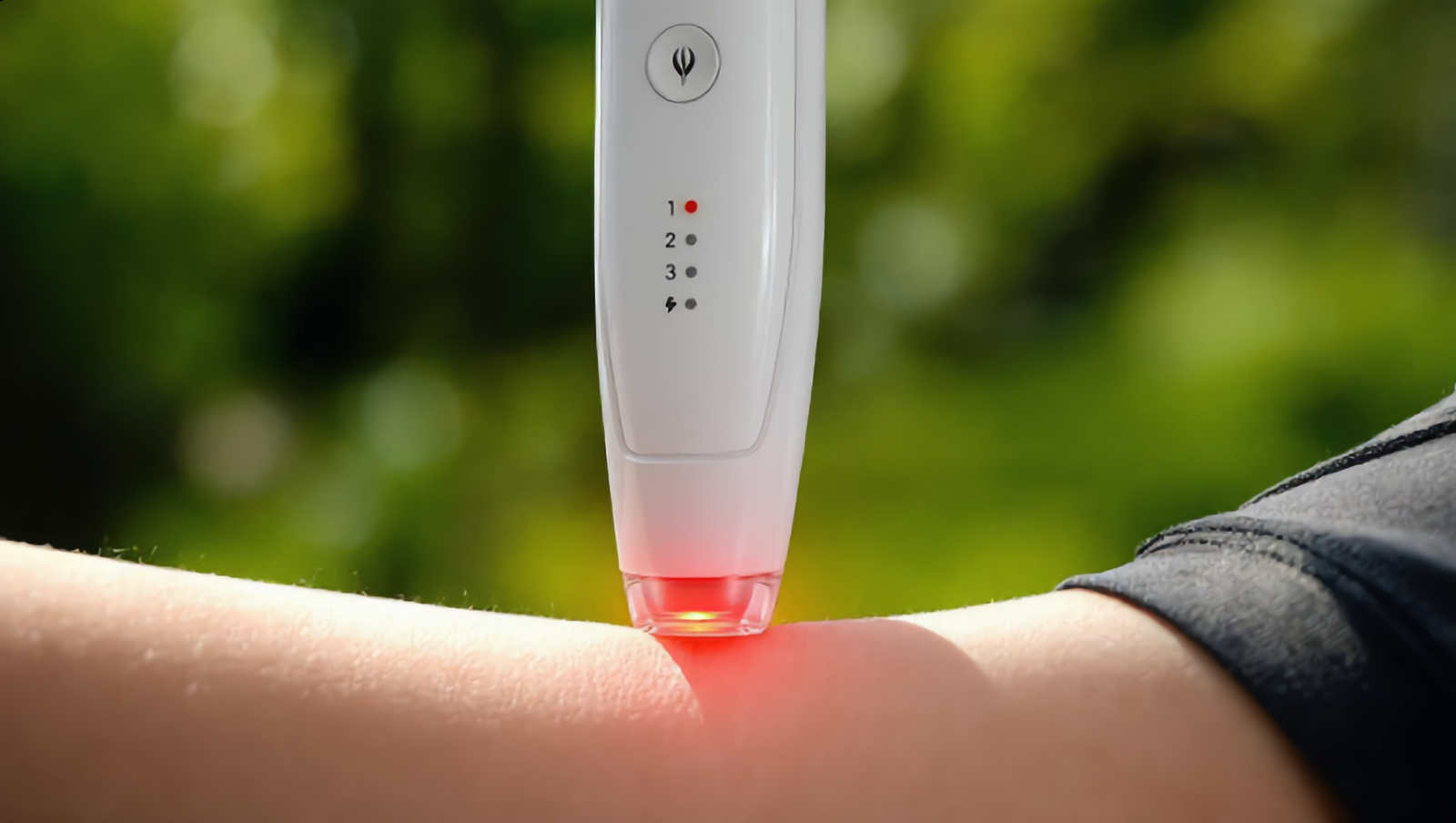
- Cycle through the modes by pressing the button again. The indicator lights will show which level you have selected.
Here is a breakdown of the 4 heat levels and who they are for:
- Level 1 (40°C / 104°F): THE KIDS/SENSITIVE MODE. This is the lowest setting, specifically engineered for the delicate skin of children or anyone with high skin sensitivity. It’s gentle yet effective.
- Level 2 (43°C / 109°F): MILD RELIEF. Great for sensitive skin or mild bites, providing soothing relief without intense heat.
- Level 3 (46°C / 115°F): STANDARD BITE. The go-to setting for normal skin and typical mosquito or black fly bites.
- Level 4 (51°C / 124°F): MAXIMUM POWER. This setting is optimal for neutralizing stubborn, intensely itching bites, and for use on areas with thicker skin.
Step 3: Application
Once you have selected your desired heat level:
- Locate the exact center of the bite area.
- Place the smooth ceramic heating tip precisely on the bite.
- Press the device firmly against your skin. Crucial: Do not rub, slide, or move the device. It must be held perfectly still.
- The device will typically activate (sometimes indicated by a beep or a light) and apply heat for a safe, pre-timed duration (usually 5 to 10 seconds).
You will feel a concentrated warming sensation. This is normal and means it is working!
Step 4: Complete the Treatment
After the timed duration is complete, the heat will stop. Remove the device from the skin. The itch is now being neutralized.
Important Safety Cautions
To ensure a positive and safe experience, please keep these guidelines in mind:
- Wait for the Itch: For the best results, use the device as soon as you feel the itch or notice the bite.
- The 2-Minute Rule: If the bite is still itching slightly, you can repeat the treatment. However, always wait at least 2 minutes between applications on the same spot to prevent skin irritation.
- Do Not Use On: Open wounds, broken skin, infected skin, or sensitive membranes (like eyes or lips).
- A Note on Infants: While the “Kids Mode” (40°C) is incredibly gentle, infants and very small toddlers have extremely delicate skin. Consult with your pediatrician before using any thermal device on children under 3 years old.
Final Thoughts: The Chemical-Free Future of Itch Relief
The UnbiteMe PRO is a game-changer for parents, travelers, and anyone tired of messy, smelly chemical creams. By using precise thermal technology, you get instant relief that is safer for your body and your skin.
Keep your UnbiteMe PRO charged and ready, and enjoy your summer without the scratch!